How to Clear Your Mapped Network Drive History?
Mapping a network drive assigns a drive letter, like T:, to a shared folder on another computer or server, so it shows up in File Explorer like a local disk. Windows remembers the shares you've recently mapped this way, whether you used File Explorer's "Map network drive" wizard or the net use command. That history is stored, per user, at HKEY_CURRENT_USER\Software\Microsoft\Windows\CurrentVersion\Explorer\Map Network Drive MRU.
| Field | What it reveals | Processing by PrivaZer |
|---|---|---|
| Letter slot | A position in the list, not identifying on its own | Removed |
| Network path | The server address and share you connected to | Removed |
| MRUList | Recency order of your mapped drives | Removed |
Beyond the entries themselves, the registry key carries its own last-write timestamp, which can hint at when a mapping was created, even without a per-entry date field. PrivaZer removes both the mapped-path values and the MRUList so that network history no longer sits in the registry.
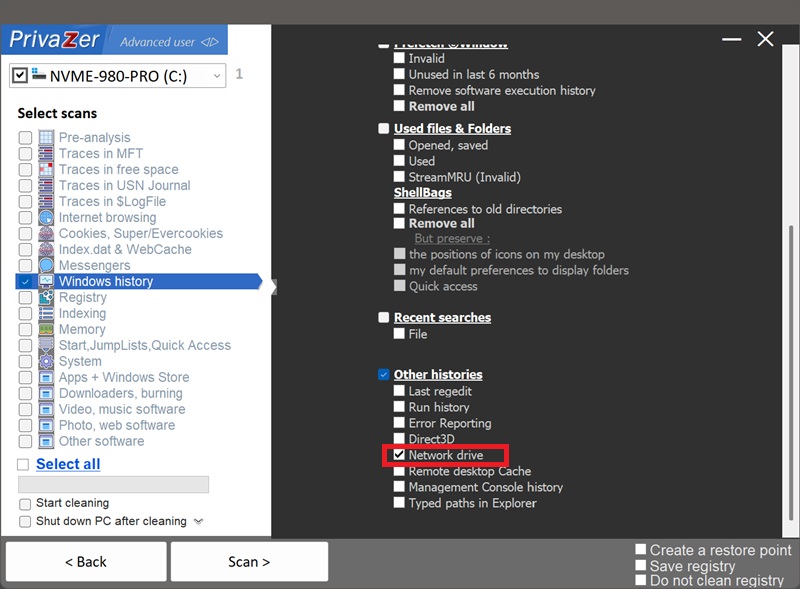
Yes. PrivaZer detects and clears all the values under Map Network Drive MRU as part of a scan, and can target it on its own. Like RunMRU, this lives entirely under your per-user hive (HKEY_CURRENT_USER), no administrator rights are required, and no reboot is needed.
Yes. Disconnecting the mapped drive, or the server going offline entirely, doesn't remove the entry from your history. It stays in the registry, still naming that server and share, until it's cycled out by newer mappings or removed by cleaning.
Yes. Clearing it doesn't disconnect any currently mapped drives or affect your network configuration. The only visible effect is that the "Map network drive" dialog stops suggesting your past connections, you'll need to type the path again, or it'll build back up as you map drives going forward.
Yes, the next network drive you map gets added right back. That's expected, ongoing behavior for a convenience feature. Run PrivaZer periodically to keep the list short.
Map Network Drive MRU is stored exactly like RunMRU, letter-named values, plain text, a simple MRUList, but the content is specifically network addresses rather than commands. It's a persistent, registry-based cousin of the ARP cache: the ARP cache shows devices you've recently talked to on the local network and disappears on reboot, while Map Network Drive MRU shows shares you've deliberately connected to and stays until it's cleaned.
Scan options - Other histories - Network drive