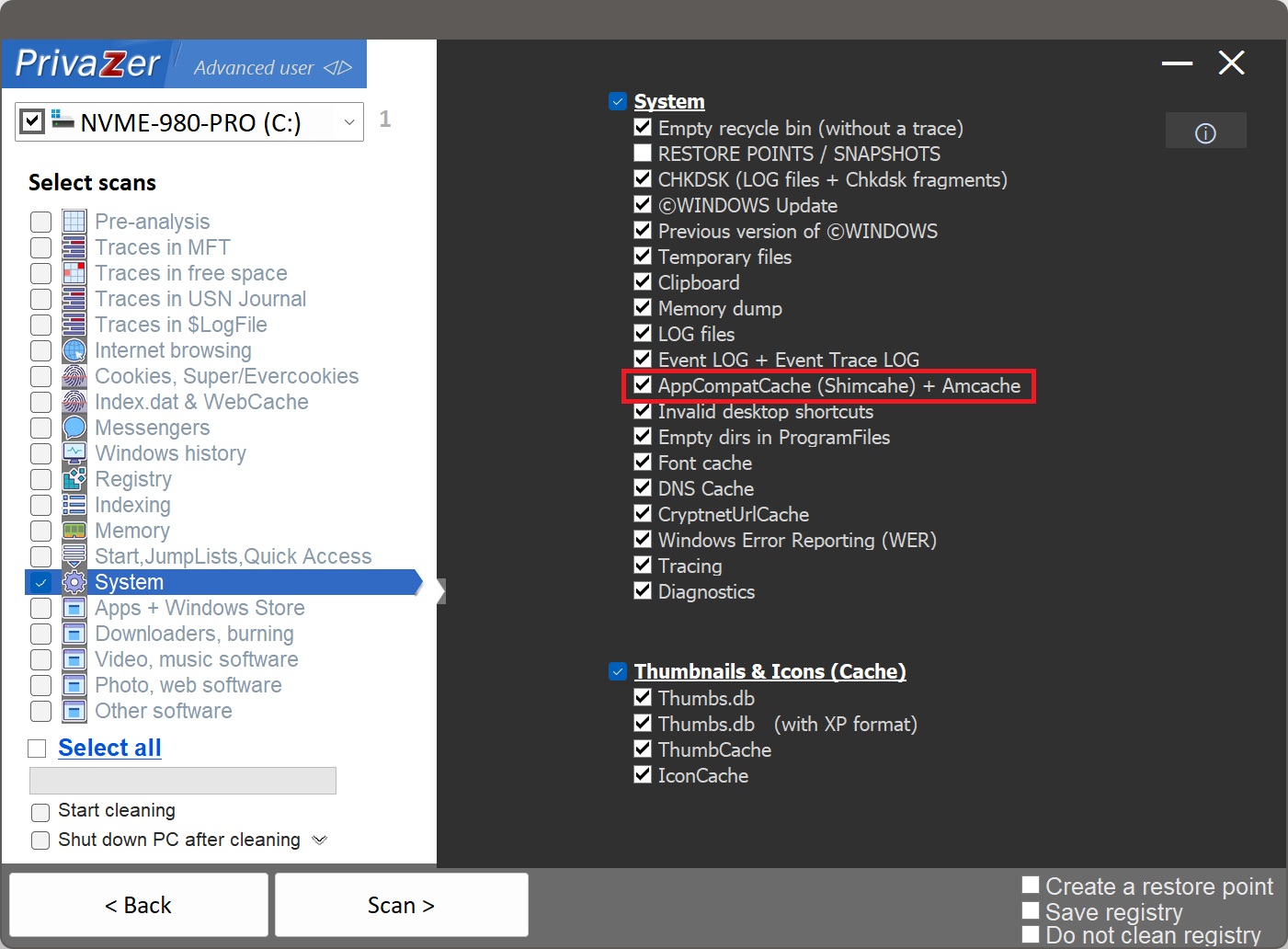
How to Clean Shimcache on Windows?
Shimcache, also called AppCompatCache, is a Windows application-compatibility feature. Windows uses it to decide whether a program needs a compatibility fix, but in doing so it keeps a record of programs it has processed, which turns it into a well-known execution artifact. Unlike Amcache, it is not a file on disk: it lives in the registry, under HKLM\SYSTEM\CurrentControlSet\Control\Session Manager\AppCompatCache.
Each entry keeps mainly the full file path and the file's last-modified date, in most-recent-first order, and on some Windows versions a flag showing the file was actually executed. That is enough to show that a given program was present on the PC, which is why investigators read it. Cleaning it removes that trail.
| Field | What it reveals | Processing by PrivaZer |
|---|---|---|
| Full file path & name | Where a program was stored, even on a drive now gone | Removed |
| File last-modified date | When the program file was last changed | Removed |
| Execution flag | That the file was actually run (some versions) | Removed |
| Order & position | Rough sequence in which files were processed | Removed |
| File size | Size of the program (older formats) | Removed |
Shimcache stores less per entry than Amcache: no SHA-1 hash, no publisher name. But the path plus the file's last-modified date is still a solid proof-of-presence artifact, and it can even list programs that were browsed to but never launched. PrivaZer removes these entries so the trail no longer sits in the registry.
To stop that from happening, PrivaZer does not only clear the registry value: it also flushes the in-memory copy of the cache using the same routines Windows itself uses, ShimFlushCache (in apphelp.dll) and BaseFlushAppcompatCache (in kernel32.dll). With the live copy flushed, there is no stale cache left to be written back at shutdown. Because AppCompatCache sits under the live SYSTEM hive, administrator rights are required.
Yes. PrivaZer detects and clears the AppCompatCache entries as part of a scan, and can target them on their own. It then flushes the in-memory copy of the cache (via ShimFlushCache and BaseFlushAppcompatCache) so the cleanup holds, rather than reappearing the next time you turn the PC off. Administrator rights are required.
Yes. Removing the program and deleting its files does not clear its AppCompatCache entry. The path and last-modified date can stay behind, showing that the program was present on the PC, even after the program itself is gone. That is exactly the kind of leftover an examiner looks for, and cleaning Shimcache is what removes it.
Yes. AppCompatCache is a cache Windows maintains for compatibility and rebuilds automatically. Clearing it does not touch your installed programs, your files or system stability. Windows simply starts populating the cache again as you keep using the PC.
New entries build up again for programs processed after the clean, which is normal: the cache is a running record. Cleaning removes the historical trail up to that point, and because PrivaZer flushes the in-memory copy, the old data is not written back at the next shutdown. Run PrivaZer periodically to keep the trail short.
They are two separate compatibility artifacts, usually cleaned together. Shimcache (AppCompatCache) lives in the registry, stores mainly path and last-modified date, and is flushed to disk at shutdown. Amcache is a hive file (Amcache.hve) with far richer per-program data, including the SHA-1 hash of the executable. Clearing only one leaves the other trail intact, so both are worth cleaning.
For the Amcache side and what its hive contains, see: How to clean Amcache on Windows.
Scan options - Shimcache options