How to Clear Your Management Console History (MMC Recent Files)?
Microsoft Management Console (mmc.exe) is the framework behind most of Windows' administrative tools: Group Policy Editor, Services, Event Viewer, Computer Management, Disk Management, Certificate Manager, Task Scheduler, and any custom .msc console someone builds or receives. Each of these opens as a console file, and MMC remembers the ones you've recently used, stored per user at HKEY_CURRENT_USER\Software\Microsoft\Microsoft Management Console\Recent File List.
It's a close cousin of Last Regedit: both point to technical, administrative activity that most users never touch. But this one covers a far wider set of tools, and if a custom console file was ever opened, one built for managing specific servers or a specific configuration, its file name and path can reveal exactly what that administrative work was about.
Whatever the exact layout, the substance is the same: a list naming which administrative consoles, built-in or custom, have recently been opened on this account.
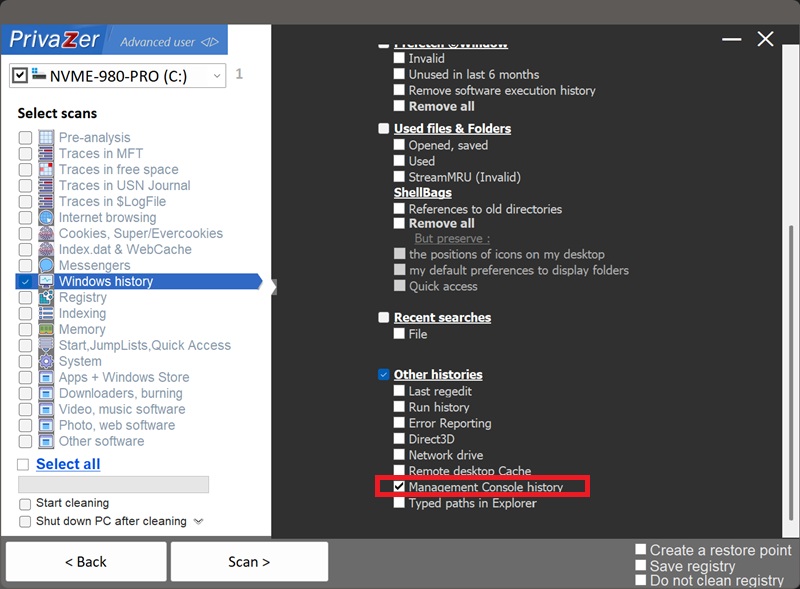
Yes. PrivaZer detects and clears the values under Recent File List as part of a scan, and can target it on its own. Like Last Regedit, this lives entirely under your per-user hive (HKEY_CURRENT_USER), no administrator rights are required, and no reboot is needed.
Yes. Closing MMC, or deleting the console file itself, doesn't remove its entry from the recent-files list. The path can stay in the registry, still naming a console that may no longer exist, until it's cycled out or cleaned.
Yes. Clearing it doesn't affect your installed programs, your files or system stability, and it has no effect on the console files themselves. The only visible effect is that MMC's "Recent" list in the File menu resets, you'll need to browse to a console again to reopen it.
Yes, the next console you open through MMC gets added right back. That's expected, ongoing behavior for a convenience feature. Run PrivaZer periodically to keep it short.
Last Regedit names one specific registry location inside one specific tool. Management Console History covers a much wider net, every administrative snap-in that runs inside MMC, plus any custom console someone has opened. Together they paint a fuller picture of technical or administrative activity on the account than either one alone.
See also: Last Regedit.
Scan options - Other histories - Management Console history