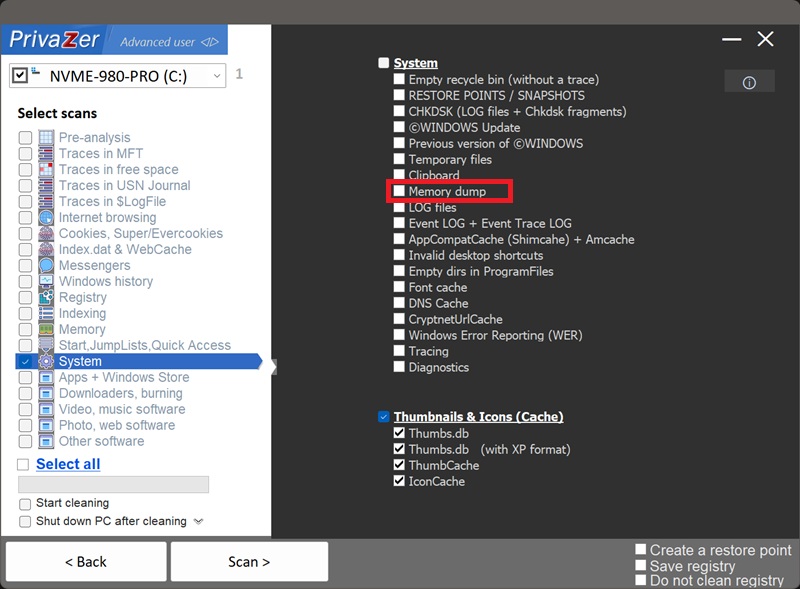
How to Clear Windows Memory Dumps (MEMORY.DMP, Minidump, CrashDumps)?
When Windows or an individual program crashes, it can save a snapshot of what was in memory at that exact moment, to a file on disk, so the problem can be debugged later. PrivaZer's "Memory dump" option covers four related locations:
- MEMORY.DMP (C:\Windows\MEMORY.DMP) : a full system crash dump, written after a complete Windows crash (a "blue screen")
- Minidump (C:\Windows\Minidump) : a smaller, per-crash summary file
- LiveKernelReports (C:\Windows\LiveKernelReports) : kernel-level diagnostic captures for serious issues that don't require a full crash, such as a graphics driver timeout
- CrashDumps (%LOCALAPPDATA%\CrashDumps) : a memory snapshot of one specific application at the moment it crashed
They sit on a scale: CrashDumps and Minidump are the smallest and most targeted, useful for basic debugging without capturing much beyond the crashing process itself. LiveKernelReports sit in between, capturing kernel-level state for problems serious enough to log but not severe enough to crash the whole system. MEMORY.DMP is the largest and most complete, potentially the entire contents of RAM at the time Windows itself went down.
Yes, memory dumps are covered by their own "Memory dump" option in PrivaZer's System scan category, clearing MEMORY.DMP, Minidump, LiveKernelReports and CrashDumps together. Since MEMORY.DMP, Minidump and LiveKernelReports live directly under C:\Windows, clearing them requires administrator rights, the same as deleting them manually would.
Yes. A dump file is a static snapshot, updating your drivers, patching the app that crashed, or resolving the underlying bug doesn't remove the old dump. It sits on disk, unchanged, until it's manually deleted or overwritten by a new crash.
Yes, for day-to-day use. Clearing them doesn't affect your files, your installed programs or system stability. The one trade-off: if you're actively working with tech support or a hardware vendor to diagnose a recurring crash, they may ask you for the dump file, so it's worth keeping until that specific issue is resolved. Otherwise, once a crash has been investigated (or simply isn't worth investigating), the dump has served its purpose.
Only if something crashes again. Unlike caches that rebuild constantly during normal use, memory dumps are only created in response to an actual crash or serious kernel event, so a clean system with no new crashes won't generate new ones.
They're closely related but not the same thing. Windows Error Reporting's .WER files are structured metadata about a crash: the app's path, version, the fault module, a list of loaded modules. Memory dumps are the raw memory contents themselves, far larger and far more sensitive, since they can contain the actual data that was in use, not just facts describing the crash. The two often sit alongside each other for the same crash event, and PrivaZer clears both.
Scan options - System - Memory dump