
How to Clean Amcache on Windows?
Amcache is a Windows application-compatibility database. Windows uses it to remember programs it has seen, but as a side effect it becomes one of the richest records of what has run on your PC. It lives in a registry hive stored on disk at C:\Windows\AppCompat\Programs\Amcache.hve, present on Windows 8, 8.1, 10 and 11.
For each program, Amcache can keep the full file path, file size, a SHA-1 hash of the executable, the compilation date baked into the file, the publisher and product name, and the first time the file was seen. That is a detailed, timestamped list of software that has run, and it is exactly what forensic tools read to reconstruct usage. Cleaning it removes that trail.
| 字段 | 揭示的信息 | PrivaZer的处理方式 |
|---|---|---|
| 完整文件路径和名称 | 程序的存储位置,即使所在驱动器现已不存在 | 已删除 |
| SHA-1 hash | Exact fingerprint of the executable that ran | 已删除 |
| 文件大小 | Size of the program in bytes | 已删除 |
| PE compilation timestamp | When the program was built | 已删除 |
| Publisher, product & version | Vendor and identity of the software | 已删除 |
| First-seen & last-modified times | When the program first ran on this PC | 已删除 |
Unlike shellbags, an Amcache entry has no cosmetic part: every field is a record about a program. That is what makes it a favourite forensic artifact, one entry can prove that a specific executable, with a specific hash, existed and ran on a specific date, long after the program itself is gone. PrivaZer removes these entries so the execution trail no longer sits in the hive.
Yes. PrivaZer detects and clears Amcache.hve as part of a scan, and can target it on its own.
Because Amcache.hve is a live hive that Windows keeps loaded and locked while it runs, it cannot be deleted or edited like an ordinary file. PrivaZer therefore schedules its removal for the next PC startup, and it removes the hive together with its transaction logs, Amcache.hve.LOG1 and Amcache.hve.LOG2, so the old entries cannot be replayed back into the file. On the next restart these files are cleared and Windows rebuilds a fresh, empty Amcache.
This is why the restart matters: it is the moment the wipe actually happens, not just a tidy-up afterwards. Administrator rights are required to schedule it.
Yes, and that is exactly why they matter. Uninstalling a program and deleting its files does not remove its Amcache entry. The path, hash, size, publisher and first-seen date can stay behind, showing that the program existed and ran, even after every trace of the program itself is gone. An examiner can use that to prove usage on a date when nothing else on the machine points to it. Cleaning Amcache is what removes that leftover record.
Yes. Amcache is a cache that Windows maintains for compatibility and rebuilds automatically. Removing entries does not touch your installed programs, your files or system stability. Windows simply starts recording again as you keep using your PC.
New entries appear for programs you run after the clean, which is normal: Amcache is a running log of activity. Cleaning removes the historical trail up to that point, so what an examiner could recover is only what happened since. Since the wipe is carried out at the next startup, restart the PC after cleaning to complete it, then run PrivaZer periodically to keep the trail short.
They are two separate compatibility artifacts that are often cleaned together. Amcache is a hive on disk (Amcache.hve) holding rich per-program metadata including the SHA-1 hash. Shimcache (also called AppCompatCache) lives in the registry under Session Manager and stores mainly file paths and last-modified dates, held in memory and written out at shutdown. Both record what has been on the PC, so cleaning one is only half the job.
For the Shimcache side, its structure, and the shutdown behaviour that makes it tricky to erase, see: 如何清理Windows上的Shimcache.
通过选项菜单快速设置
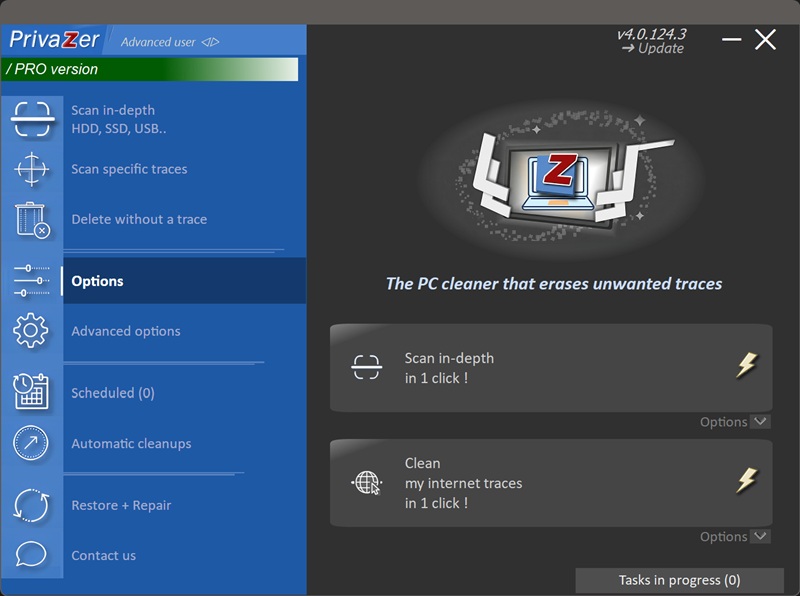

Scan options - Amcache options
