How to Clear Thumbnail & Icon Caches (Thumbs.db, ThumbCache)?
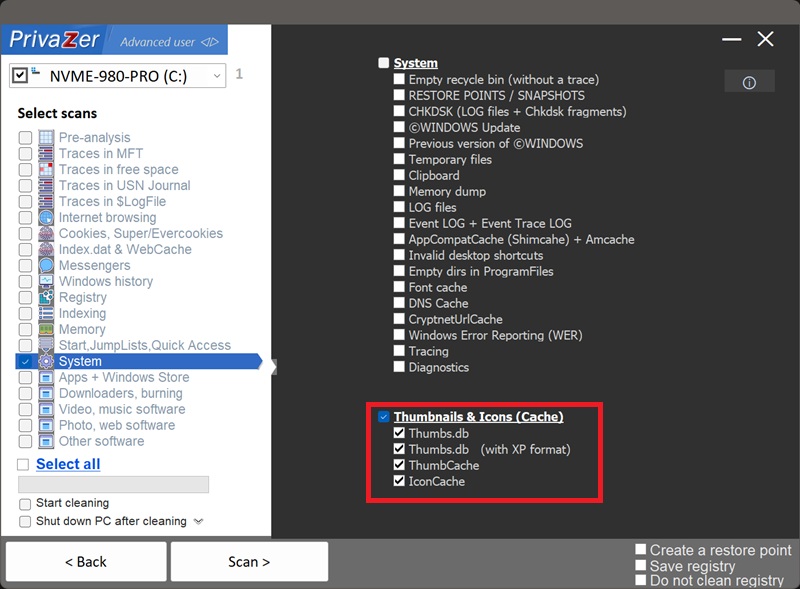
When File Explorer shows small preview images instead of generic icons for your photos, videos or documents, Windows has to generate those previews and store them somewhere, so it doesn't have to redo the work every time you open the folder. PrivaZer covers four related caches, all under "Thumbnails & Icons":
- Thumbs.db (legacy): a hidden file created directly inside a folder you've browsed with thumbnails, still used in some contexts such as network shares
- Thumbs.db (XP format) : the older internal database structure used by Windows XP
- ThumbCache (Vista and later): a centralized set of database files covering thumbnails from anywhere on the system, not just one folder
- IconCache : a separate cache of generic application and file-type icons, not per-file previews
This is one of the best-known techniques in Windows forensics for exactly this reason: recovering evidence that a specific image existed on a system, even long after the original file is gone.
Yes. Thumbs.db, Thumbs.db (XP format), ThumbCache and IconCache all appear as their own options in PrivaZer's scan, under Thumbnails & Icons, and can be selected together or individually as part of a scan.
Yes. Clearing them doesn't touch your actual photos, videos or documents, only the small cached previews. The only visible effect is that File Explorer briefly shows generic icons again the next time you open a folder with images, until it regenerates fresh thumbnails on the fly.
Yes, as soon as you browse a folder with thumbnail view again, Windows regenerates previews for the files that are actually still there. That's expected. The point of cleaning is removing previews of files that may no longer exist anywhere else, not preventing the feature from working going forward.
ThumbCache stores a preview unique to each individual file, your specific photo, your specific document. IconCache stores generic icons shared by every file of a given type or every copy of a given application, so it can still hint at which programs have been installed or used, but it doesn't hold personal image content the way ThumbCache does.
Both are rare on this site in storing actual visual content rather than metadata. The RDP Bitmap Cache holds raw screen tiles that need a dedicated tool to stitch back into a recognizable image. Thumbnails need no such step, they're already a complete, viewable picture on their own, just smaller than the original.
Scan options - System - Thumbnails & Icons (Cache)