How to Clean Residual Traces in the NTFS $LogFile?
$LogFile is one of NTFS's own hidden system files, present at the root of every NTFS-formatted volume. It's not something you can browse or open through File Explorer, it exists purely for NTFS itself to use.
Its job is crash recovery. Before NTFS actually commits a change to your files, creating, deleting, renaming, or resizing, it first writes a record of that intended operation into $LogFile. If Windows crashes or loses power mid-operation, NTFS replays this journal on the next boot to bring the filesystem back to a consistent state.
PrivaZer treats them as two separate scans because they're two different NTFS mechanisms. The USN Journal ($UsnJrnl) is a higher-level change log designed for other software, search indexers, backup tools, sync clients, to efficiently ask "what's changed since I last checked". $LogFile sits lower down: it exists purely so NTFS itself can recover cleanly from a crash, and it happens to retain operation-level detail as a side effect.
Yes, PrivaZer scans $LogFile for residual traces of old file names and operations, and clears them out. $LogFile itself is a protected NTFS system structure essential to how the filesystem recovers from crashes, so this isn't handled the way a simple cache file would be, it's specifically designed for this NTFS structure rather than a blanket file deletion.
Yes, that's exactly the scenario this covers. A file's name and the fact that it was deleted, renamed or created can remain visible in $LogFile even after the file itself, and its entry in the Master File Table, are gone from everywhere else on the system.
Yes, when handled by a tool built for it. $LogFile is deep filesystem territory, not a simple cache, so this is exactly the kind of cleanup best left to dedicated software rather than manual editing. Clearing residual traces doesn't affect your files, your installed programs or system stability, and NTFS keeps writing fresh log entries for its own crash-recovery needs regardless.
In the sense that NTFS keeps logging new operations, yes, that's normal and necessary, $LogFile has to keep working for crash recovery to function. What PrivaZer clears is the old, residual detail describing files that no longer exist, not the ongoing logging mechanism itself.
The MFT is the actual record of every file on the volume, its entries, names and metadata. Shellbags record how you personally navigated folders in Explorer. $LogFile is different again, it's NTFS's internal transaction log, written automatically for crash recovery, with no connection to Explorer or to how you browse. Three different layers of the system, each leaving its own kind of trace.
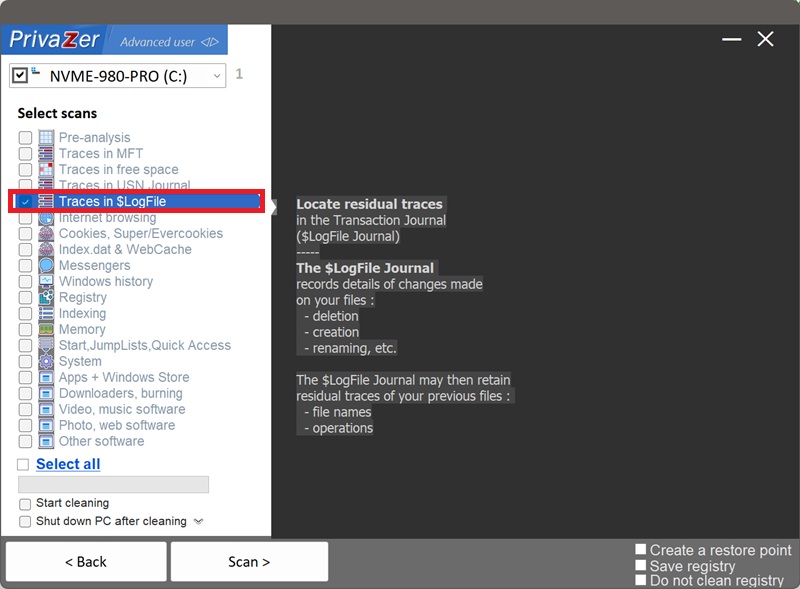
Choose scans - Traces in $LogFile