How to Clean Super Cookies & Evercookies (HSTS, Flash, Silverlight)?
Ordinary cookies live in one obvious place, and clearing them is straightforward. Super cookies and evercookies are techniques that store a tracking identifier somewhere less obvious, or in several places at once, specifically so it survives a normal cookie clear.
HSTS (HTTP Strict Transport Security) is a legitimate security feature: a site tells your browser "always connect to me over HTTPS from now on", and the browser remembers that per domain. A tracker that controls many small subdomains can abuse this memory: by getting your browser to remember some subdomains as HTTPS-pinned and deliberately leaving others unmarked, it encodes a unique pattern, essentially a barcode, spread across dozens of tiny sub-requests.
That pattern lives entirely in your browser's HSTS memory, a completely different place from where cookies are stored, so clearing cookies alone does nothing to remove it.
Flash cookies, technically called Local Shared Objects, were tied to the Adobe Flash Player browser plugin, and Silverlight cookies worked the same way for Microsoft's Silverlight plugin. Both plugins kept their own storage area, entirely separate from the browser's regular cookie jar.
Historically, this was abused specifically to "respawn" a regular cookie a user had deliberately deleted, since most browsers, and most people, had no idea plugin storage needed clearing too. Both plugins are largely gone from modern browsers, but leftover data from them can still linger on a PC that had them installed.
If Tor Browser is installed and has been used on this PC, it keeps its own cookie jar, the same as any browser does. PrivaZer detects and can clear this too, alongside the cookies of every other browser it recognizes.
Yes, PrivaZer's dedicated scan covers the full list: super cookies (HSTS), evercookies, Flash cookies, Silverlight cookies, Tor cookies, HTML5 storages, Appcache and IndexedDB. A "See cookies" link lets you review what was found before cleaning.
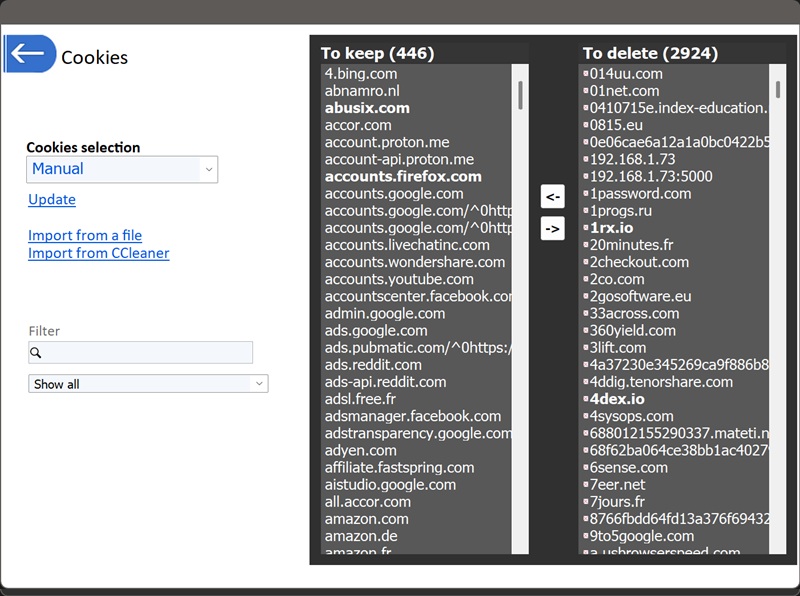
Preservation preferences, which sites to keep versus clear, work the same way as for ordinary cookies, through Smart, Manual or Remove all selection.
Yes. Clearing them doesn't affect your files, your installed programs or system stability. The only visible effect is being signed out of sites that relied on one of these mechanisms, and any HSTS or plugin storage naturally rebuilds itself the next time you visit a site that uses it. Since Flash and Silverlight are largely obsolete today, clearing their leftover storage has essentially no downside either way.
Most cookie cleaners, including the browser's own "clear cookies" button, only touch the standard cookie jar. They leave HSTS memory, plugin storage, and the other mechanisms covered here completely untouched, which is exactly how a tracker using them can survive a routine cookie clear. This scan is what closes that gap.
For preservation preferences covering ordinary cookies and HTML5 storage, see: Cookies Settings Explained.
Select scans - Cookies, Super/Evercookies