PrivaZer Internet Settings Explained (Browser Detection & Custom Paths)
On the Web browsers tab:
- Detect all web browsers installed : PrivaZer automatically scans your system to find every properly installed browser, so you don't need to add them one by one
- Detect all portable versions of web browsers used : portable browsers, ones that run from a folder or USB drive without a traditional installation, are also detected
A portable browser runs entirely from its own folder, no formal installation process, no registry entries pointing to where it lives. That's convenient for carrying a browser around on a USB drive, but it also means there's no standard installation record for PrivaZer to check the way there would be for a normally installed browser. This setting adds a dedicated detection pass specifically to find those.
This tab lets you tell PrivaZer exactly where to find a specific browser's profile if it isn't sitting in the standard, default location. Each listed browser (Chrome, Firefox, Opera, and more) has its own path field, a dropdown for selecting among multiple profiles if the browser supports them, a Browse button to pick the folder directly, and a Delete link to clear a custom path you'd previously set and return to automatic detection.
This matters if you've moved a profile to another drive, use a specific profile among several, or run a browser in an otherwise non-standard setup that automatic detection wouldn't find on its own.
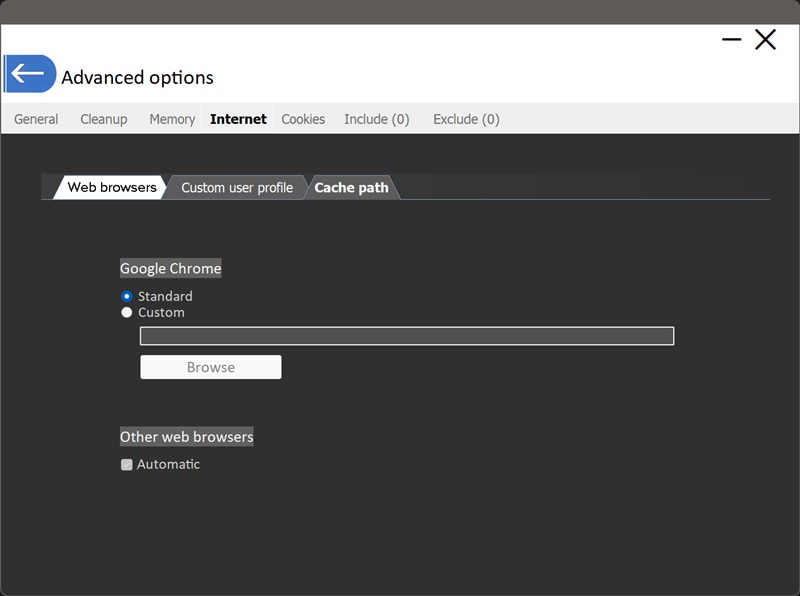
Some browsers can be configured to store their cache somewhere other than the default location, a different drive, a RAM disk, often done to reduce wear on an SSD or speed things up. For each browser:
- Standard : PrivaZer looks in the browser's normal, default cache location
- Custom : you specify exactly where the cache has been redirected to, via the path field and Browse button
"Other web browsers: Automatic" extends this same detection to browsers that aren't individually listed, so a redirected cache doesn't get missed just because the browser doesn't have its own dedicated section.