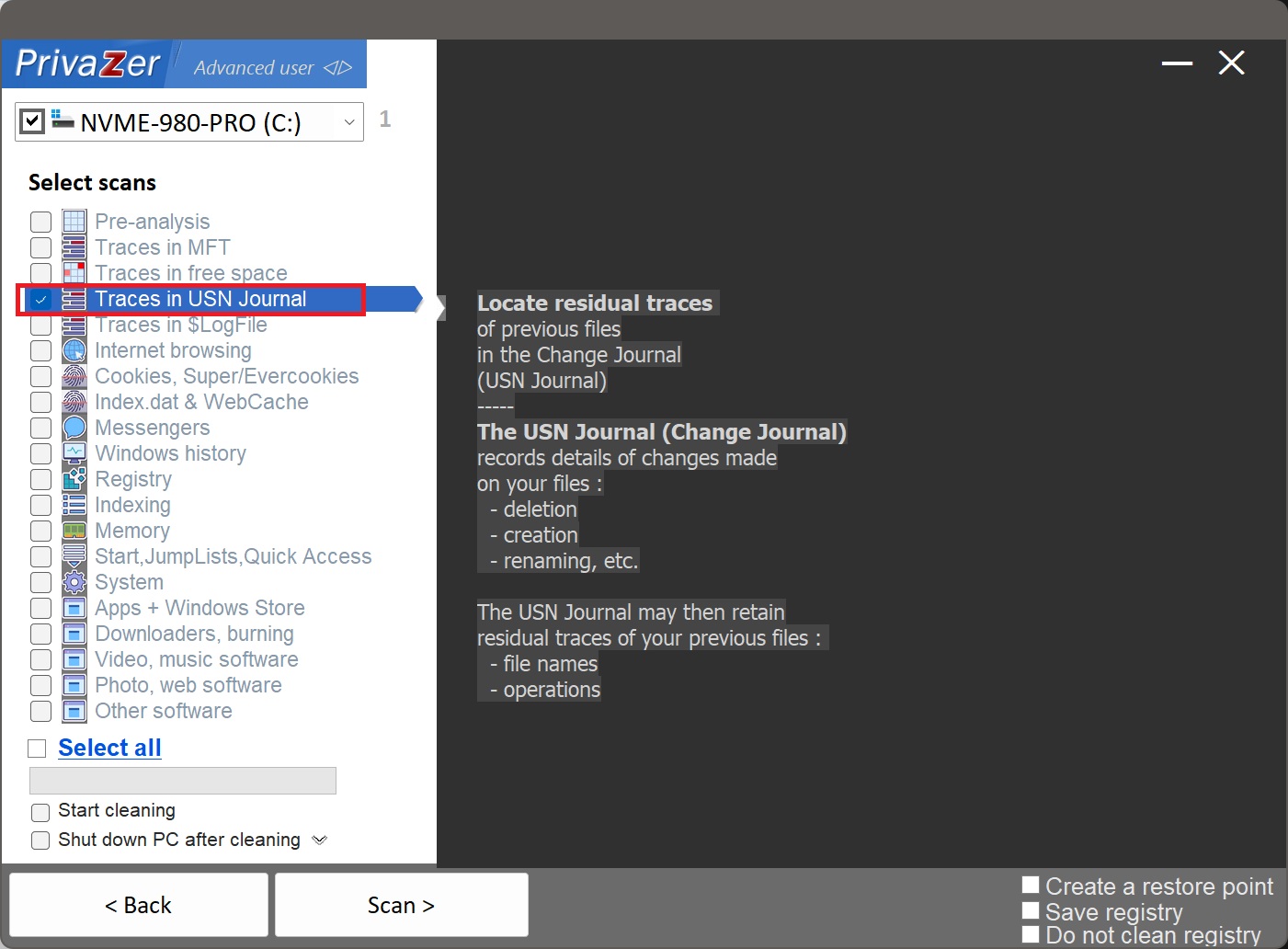
How to Clean Residual Traces in the USN Journal (Change Journal)?
The USN Journal, also called the Change Journal ($UsnJrnl), is a hidden NTFS system file present on every volume. Its purpose is to let other software, search indexers, backup tools, cloud sync clients, antivirus scanners, efficiently ask "what's changed on this drive since I last checked", without needing to rescan the entire volume every time.
To make that possible, NTFS logs details of essentially every change made to your files: deletion, creation, renaming, and more, regardless of which application or method performed the change, File Explorer, the command line, a script, another program.
It's arguably the most complete activity record covered on this site. Shellbags only capture folders browsed through File Explorer. RecentDocs only captures files opened through the shell. The USN Journal captures file operations regardless of how they happened, meaning it can reveal file names and activity that no other artifact on this site would ever record.
Yes, PrivaZer scans the USN Journal for residual traces of old file names and operations, and clears them. Like $LogFile, this is a protected NTFS system structure that many parts of Windows actively rely on, so it's handled with logic specifically built for it, not treated like a simple file or cache.
Yes. A file's name and the operations performed on it, created, renamed, deleted, can remain visible in the USN Journal well after the file itself and its MFT entry are gone. That persistence, useful for backup and sync software, is exactly what also makes it forensically significant.
Yes, new entries get logged continuously as part of normal NTFS operation, that's necessary and expected, plenty of Windows features depend on it. What PrivaZer removes is the old, residual detail about files that no longer exist, not the journal's ongoing function.
Three different layers of the same system, each catching something the others miss. The USN Journal is the broadest: every file operation, from every source, system-wide. Project-Id-Version: PO-Revision-Date: 2026-03-30 23:10+0200 Last-Translator: a Language-Team: Language: cs MIME-Version: 1.0 Content-Type: text/plain; charset=UTF-8 Content-Transfer-Encoding: 8bit X-Generator: Poedit 2.4.3 X-Poedit-Basepath: ../../.. Plural-Forms: nplurals=2; plural=(n > 1); X-Poedit-SearchPath-0: . X-Poedit-SearchPathExcluded-0: bootstrap X-Poedit-SearchPathExcluded-1: bootstrap3 X-Poedit-SearchPathExcluded-2: js X-Poedit-SearchPathExcluded-3: messi X-Poedit-SearchPathExcluded-4: Nivo Slider Demo_files X-Poedit-SearchPathExcluded-5: nivo-slider X-Poedit-SearchPathExcluded-6: paypal-express X-Poedit-SearchPathExcluded-7: mollie-api-php-master X-Poedit-SearchPathExcluded-8: test-gettext.php X-Poedit-SearchPathExcluded-9: old_exe X-Poedit-SearchPathExcluded-10: old X-Poedit-SearchPathExcluded-11: old_new_version X-Poedit-SearchPathExcluded-12: upload X-Poedit-SearchPathExcluded-13: amazon-pay-sdk-samples-master X-Poedit-SearchPathExcluded-14: Kaspersky is narrower and lower-level, a crash-recovery transaction log that happens to retain operation detail as a side effect. Shellbags are narrower still, but from a completely different angle: they only record folders you personally browsed through File Explorer, nothing about the file operations themselves. Between the three, they cover file activity from nearly every direction NTFS can see it.
Select scans - Traces in USN Journal